Zero Trust Security Is Not Just for Enterprises
Zero trust security verifies every user and device on every access attempt — not just at the front door. Here's what it means and how to start.
Key Takeaways
- Zero trust security requires every user and device to prove legitimacy on every access attempt, not just at login.
- The traditional castle-and-moat model fails when staff work remotely or use cloud applications.
- Multi-factor authentication and least-privilege access are the most practical first steps toward zero trust.
- Zero trust limits how far an attacker can move if one account is compromised.
- Adopting zero trust is a phased process that builds on tools you likely already have.
Zero trust security is a network protection model built on one principle: never trust, always verify. Unlike older approaches that assumed anyone inside your network was safe, zero trust treats every login, every device, and every access request as a potential threat — and requires proof of identity every time, whether the user is in the office or working remotely.
What Was Wrong with the Old Approach?
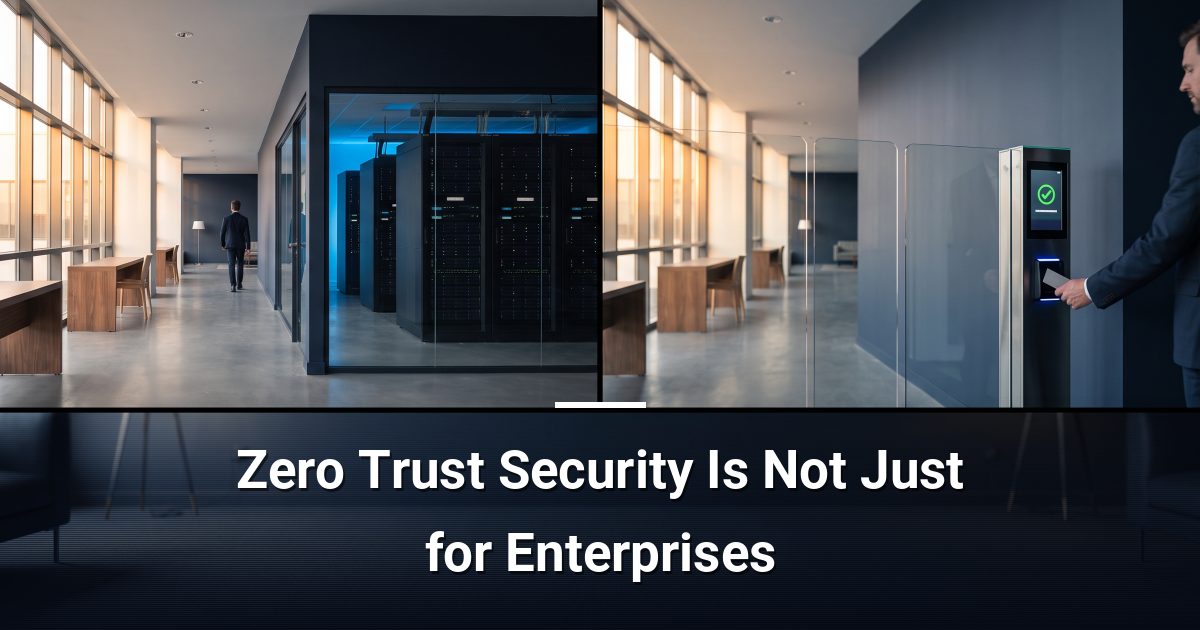
The traditional model is often called "castle and moat" security. Build a strong perimeter, and everything inside is trusted. Once someone crossed the drawbridge — logged into the VPN or connected to the office Wi-Fi — they had broad access to systems and files.
That model made sense when everyone worked at a desk in one building. It does not hold up when staff work from home, use personal devices, or access cloud applications. If an attacker steals one set of credentials, the castle-and-moat model gives them the run of the place.
How Does Zero Trust Security Actually Work?
Zero trust is not a single product you install. It is a set of principles applied across your systems, where access is earned continuously rather than granted once and forgotten.
What Are the Core Building Blocks?
- Identity verification: Every user proves who they are through multi-factor authentication (MFA) — a second confirmation step beyond a password, such as a code sent to a phone.
- Least-privilege access: Users receive access only to the specific files or systems their role requires — nothing more.
- Device health checks: The network confirms a device is up to date and meets security standards before allowing a connection.
- Continuous monitoring: Behaviour is watched throughout a session, and unusual activity can trigger re-verification or a lockout.
Why Is Zero Trust Replacing the Old Model?
Remote work, cloud storage, and mobile devices have dissolved the old network perimeter. There is no single wall to defend anymore. Zero trust shifts the focus from protecting a boundary to protecting every individual access point — a far more realistic match for how modern work actually happens.
It also limits the damage a breach can cause. If an attacker compromises one account, least-privilege access confines them to a narrow slice of your systems rather than giving them free movement across everything.
Is Zero Trust Complicated to Implement?
Most organisations do not start from scratch. If you already use MFA and role-based permissions, you have laid the groundwork. Zero trust is typically rolled out in stages, starting with the highest-risk access points and expanding from there.
Common first steps include:
- Enabling MFA on all accounts, especially email and cloud applications.
- Auditing who has access to what, and removing permissions that are no longer needed.
- Segmenting your network so different systems are isolated from one another.
- Deploying endpoint protection that assesses device health before granting access.
None of these steps require replacing your existing infrastructure. They build on what you already have.
What Zero Trust Does Not Do
Zero trust is not a guarantee against every threat. Strong passwords, staff awareness training, and regular software updates still matter. What zero trust does is make your environment significantly harder to move through undetected, even if an attacker gets past the first door.
Ready to See Where Your Network Stands?
Knowing how your current setup measures up against zero trust principles is the logical next step. Book a free cybersecurity risk assessment with MYDWARE and find out exactly where your gaps are before someone else does.
Darryl Cresswell
CEO & President
MYDWARE IT Solutions Inc.