Spot Phishing Emails Targeting Your Accounting Team
Phishing emails targeting accounting departments cost SMBs thousands. Learn to spot red flags and stop payment fraud before it happens.
Key Takeaways
- Phishing emails mimic vendors or executives; verify all payment requests by calling the sender using a number from your records, not the email.
- Red flags include sender address variations, urgent payment language, generic greetings, and unexpected attachments or wire instructions.
- Multi-factor authentication on email and payment systems blocks most phishing-driven fraud attempts.
- Require two-person approval for large wire transfers and new vendor payments to create a human checkpoint.
- Regular staff training and simulated phishing campaigns significantly reduce successful attacks.
Phishing emails targeting your accounting department aim to trick staff into authorising fraudulent payments or wire transfers. These attacks work because they exploit the daily pressure your finance team faces and mimic legitimate vendor or executive requests. Unlike generic phishing, these emails are personal, urgent, and designed to bypass your normal approval process.
Why Is Your Accounting Team a Prime Target?
Your accounting department controls money and vendor relationships. Attackers study your company's website, LinkedIn profiles, and public invoices to craft convincing emails. A fake invoice from a "trusted vendor" or an urgent wire request from someone claiming to be your CFO triggers immediate action—exactly what the attacker wants.
Fraudsters deliberately create artificial urgency: "Payment due today" or "Wire this before 3 p.m." This rush bypasses the careful review that would normally catch the scam.
What Red Flags Should Your Team Know?
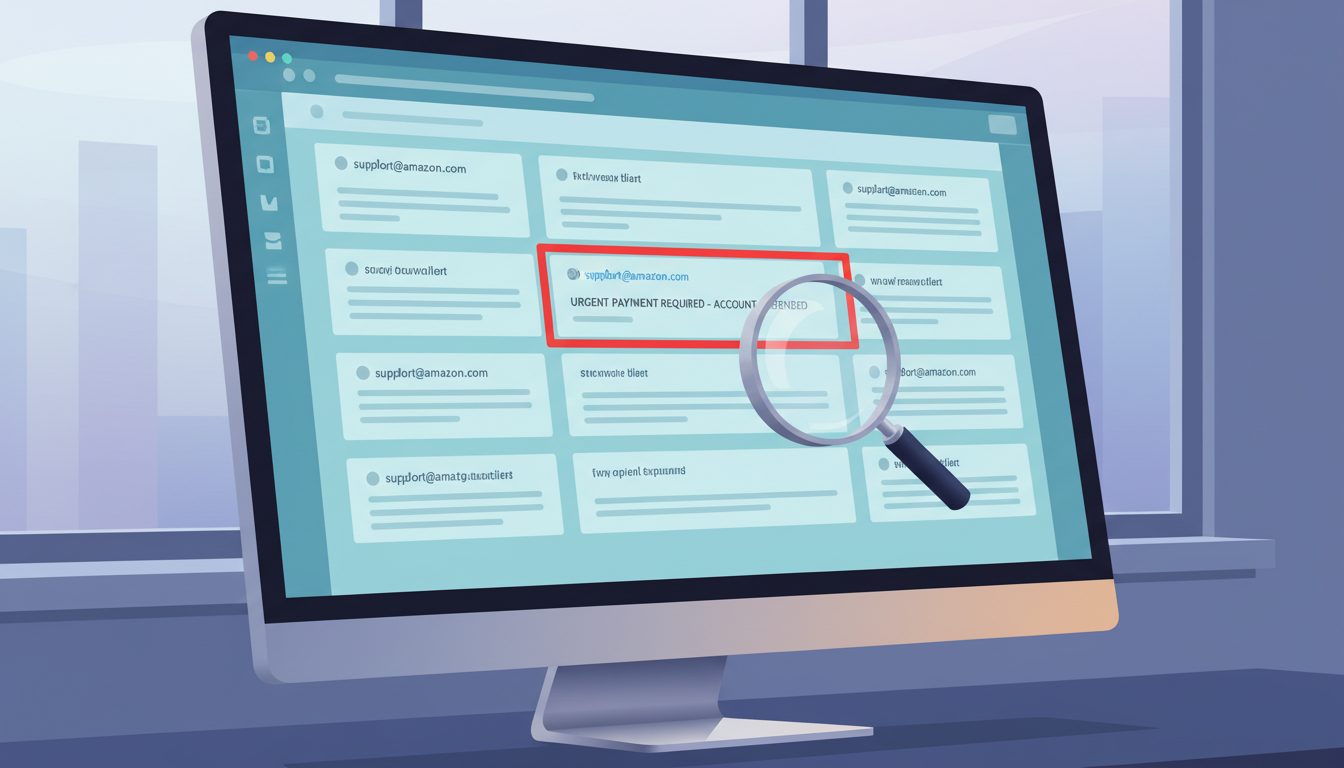
- Sender address looks almost right but isn't. "john.smith@yourcompany.ca" versus "john.smith@yourcompany-secure.ca" or "jsmith@yourcompany.co" (different domain ending).
- Urgent payment request with a new wire address or vendor account. "Please update our banking details for future invoices" is a classic trigger.
- Generic greeting instead of your staff member's name. "Dear Accounting Team" instead of "Hi Sarah" suggests the email was sent to many targets.
- Unusual payment method or amount. Requests for gift cards, cryptocurrency, or wire transfers to countries your company doesn't operate in are almost always fraud.
- Spelling, grammar, or formatting errors. Legitimate vendors typically proofread invoices; attackers often don't.
- Unexpected attachment. Invoices should come through your normal vendor portal. An unexpected PDF attachment, especially one that prompts you to "enable macros," is a warning sign.
How Do You Verify a Payment Request Before Acting?
The simplest defence is a one-minute verification call. If an email requests a payment or banking change, your team should call the vendor or internal contact using a phone number from your records—not from the email itself.
Never use contact information in a suspicious email to verify the request. Call the main switchboard, look up the number on the company website, or use a previous invoice. This single step catches the vast majority of phishing attempts before any money moves. For internal requests (e.g., from your CEO), call or message them through Slack or Teams. Attackers often don't have access to your internal communication tools.
Which Technical Controls Stop Phishing Most Effectively?
Put these in place now:
- Multi-factor authentication (MFA) on email and payment systems. Even if an attacker has your password, they can't access your account without a second factor—usually a code on your phone.
- Email authentication (SPF, DKIM, DMARC). These technical standards make it harder for attackers to impersonate your vendors or your own company domain.
- Advanced email filtering. Modern email security tools flag suspicious emails, block known phishing URLs, and quarantine attachments for review before they reach your inbox.
- Payment approval workflows. Require at least two people to authorise large wire transfers or new vendor payments. This creates a human checkpoint even if one staff member is fooled.
What Should You Do If You Suspect a Phishing Email?
Train your team to report suspicious emails immediately. Don't forward the email to the sender to "check if it's real"—this confirms your email address is active. Instead, report the email to your IT team or use your email provider's "Report Phishing" button.
If money has already been sent, contact your bank immediately; some transfers can be recalled within hours if you act fast. Document what happened: the sender, the content, and what action was taken. This helps your IT team spot patterns and strengthen defences.
How Can You Build a Phishing-Aware Culture?
Your accounting team needs regular, practical training—not just a once-a-year compliance video. Run simulated phishing campaigns quarterly. Send fake phishing emails to your staff and track who clicks or reports them. Use the results to identify who needs extra coaching, not to punish anyone. Reward staff who report phishing attempts; if someone flags a suspicious email and saves your company from fraud, that's worth recognising.
Strengthen Your Defence Today
Phishing emails targeting your accounting department are preventable. A combination of staff training, verification habits, and technical controls stops most attacks before they cost you money. If you're unsure whether your current email security and payment approval processes are strong enough, a cybersecurity assessment can identify gaps and give you a clear roadmap. Start with a free cybersecurity risk assessment tailored to your business.
Darryl Cresswell
CEO & President
MYDWARE IT Solutions Inc.